Taliferro • TODD • Docs • Documents • Files • Organization

Keep the right document with the right work.

Docs helps teams organize files, manage documents, and keep important material tied to the work that needs it. It turns scattered uploads, folders, and attachments into visible, usable documents inside the flow of work.

Organize documents clearly
Upload without chaos
Tie files to real work
Find what matters faster
1 placefor important files
Stop letting critical documents hide in inboxes, shared drives, and random folders.
Cleardocument visibility
See what exists, what belongs to the work, and what still needs to be added.
Betterfile continuity
Docs helps the team find the right material without starting another file chase.

TODD Docs files and document organization view
Documents with visible structure

Start here

  • Upload the file that matters
  • Review what already exists
  • Keep documents tied to the work
  • Stop searching through scattered folders
Why Docs exists

Most teams do not have a file problem. They have an organization problem.

Important documents often end up spread across inboxes, desktops, shared drives, and memory. Docs gives teams a place to keep the right file tied to the right work so the material is still visible when it matters again.

  • Capture quickly. Upload the document while it is still in hand.
  • Organize clearly. Keep files connected to the work, not floating in a folder maze.
  • See what exists. Know whether the team already has the document before someone asks again.
  • Act faster. Put the material where the next person can actually find it.
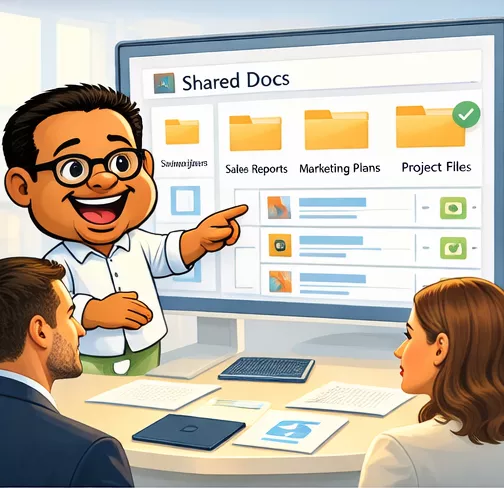
Docs organization and file flow illustration
Docs turns scattered files into visible working material

The real value

You stop asking who has the file and start finding the right document fast enough to keep moving.

That is the difference between storing files and using them well.

How Docs works

Upload, organize, and retrieve.

Docs is structured around the life of a working document. The point is not to create another pile of files. The point is to keep the right material visible, connected, and easy to find when the work needs it.

1) Upload

Bring the document into the system before it disappears into another folder trail.

Route: Docs

2) Organize

Keep files linked to the work, record, or process that gives them meaning.

Route: Document organization flow

3) Review

Use document views and lists to see what already exists and what is missing.

Routes: Docs + Doc List

4) Reuse

Let the next person find the file quickly instead of starting the search over again.

Route: Reusable document access

What you can do today

You can explore Docs, upload files, and understand how document organization fits into the larger TODD workflow.

Upload freely
Browse documents
See what exists
Keep the work connected

What matters later

As the document set grows, the value comes from making sure the right files stay visible, findable, and tied to the right work instead of drifting into storage chaos.

  • Cleaner file discipline
  • Better document visibility
  • Less time lost searching for material
Common places to start

Two ways into Docs.

Use the part of the workflow that matches what you need right now.

What Docs gives you

Visible working material, not hidden files.

Clear file access

Find the right document without depending on who last touched it.

Work-linked documents

Keep the file tied to the task, contact, project, or process that needs it.

Less document drift

Use Docs to keep important material from disappearing into disconnected storage.

TODD Docs insight and document signal
The point is not storing more files. The point is keeping the right document visible when the work needs it.

Simple flow

Upload the file. Organize the material. Review what exists. Reuse the document when the work needs it. That is the Docs pattern.

FAQ

Questions people ask about Docs.

What is Docs for?

Docs is for organizing files, managing working documents, and keeping the right material visible inside the flow of work.

Is Docs just file storage?

No. It is built to keep files tied to the work that needs them so documents stay useful, not just archived.

Can I explore Docs before I use it deeply?

Yes. Docs is designed so people can understand the workflow, review the material, and then decide how broadly they want to use it.

How does Docs fit inside TODD?

Docs gives TODD the document layer. It connects files to work across outreach, moves, network, and knowledge so the right material stays available.

Next step

Want to see how Docs fits your flow?

Open Docs, review the document list, and see how the right file stays visible inside TODD instead of getting lost in another folder trail.

Need the broader story? See TODD

Best first clicks

  • Docs to start the document workflow
  • Document List to see what already exists
  • Upload the file before it disappears into another system
  • Keep the material tied to the work that needs it
Documents need visibility
See what Docs looks like before the next important file gets lost in the shuffle.